 pocket-ui
TrimUI Brick
Your Brick, with every game in its real box.
pocket-ui OS is free and has its own player: the cozy shelf, Continue, one pause menu. It lives on a spare card of its own. No firmware is replaced; switch cards to return to TrimUI’s own system.
pocket-ui-trimui-card-0.5.0.zip · 330,670,334 bytes · version 0.5.0 · SHA-256 a19b9e485daa90cf5f92d6bb1641f5873a2b809382444f40a38498b8b71ae511
Works on: TrimUI Brick, including the Brick Hammer. The TrimUI Smart Pro and the Brick Pro start from the same card (experimental, feedback welcome). The Smart Pro S isn't supported.
The Brick trailer: the shelf, a game, the pause menu.
 Play the trailer · 0:58
The trailer is on its way.
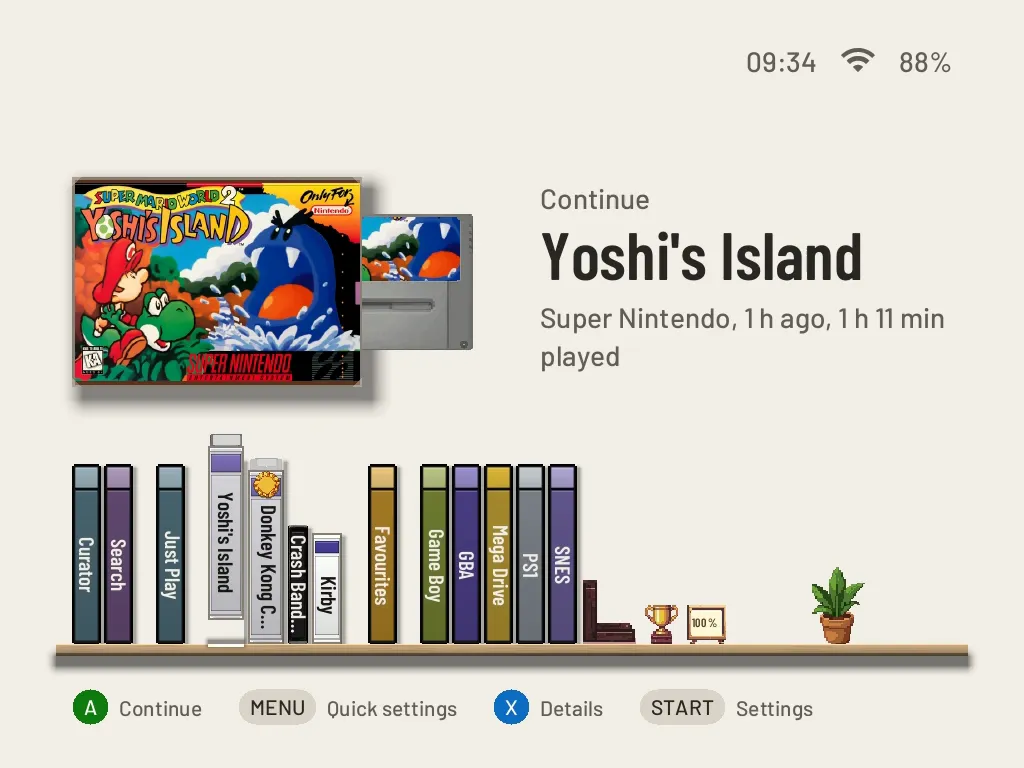
The shelf on the Brick.
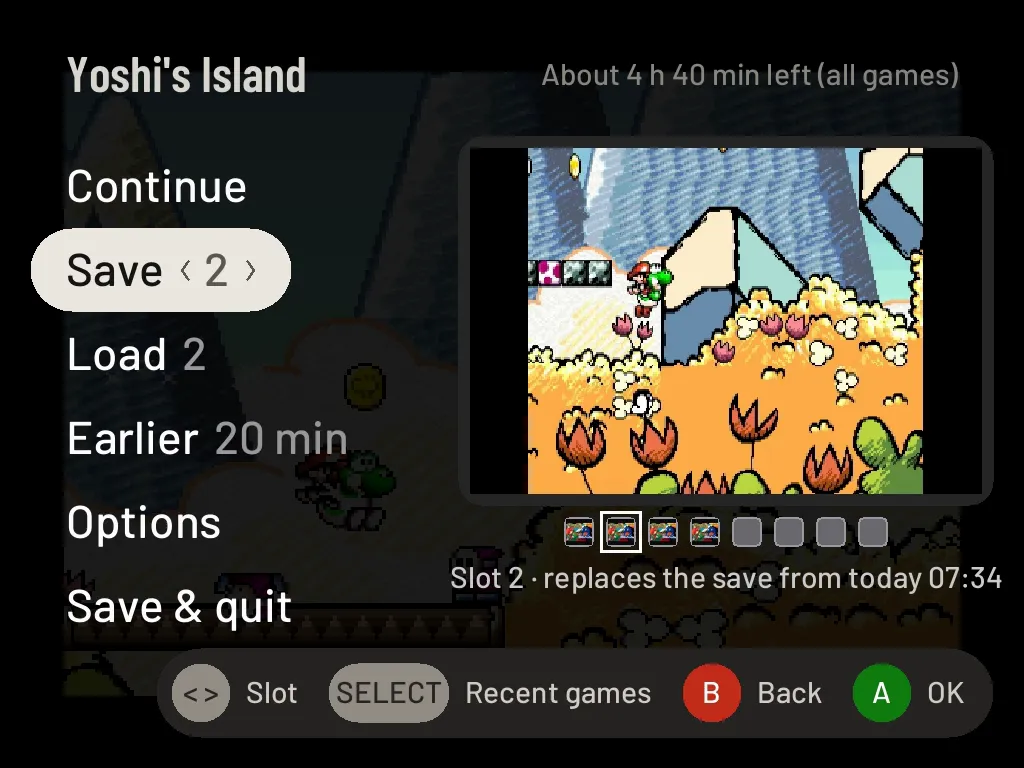
The pause menu on the Brick.
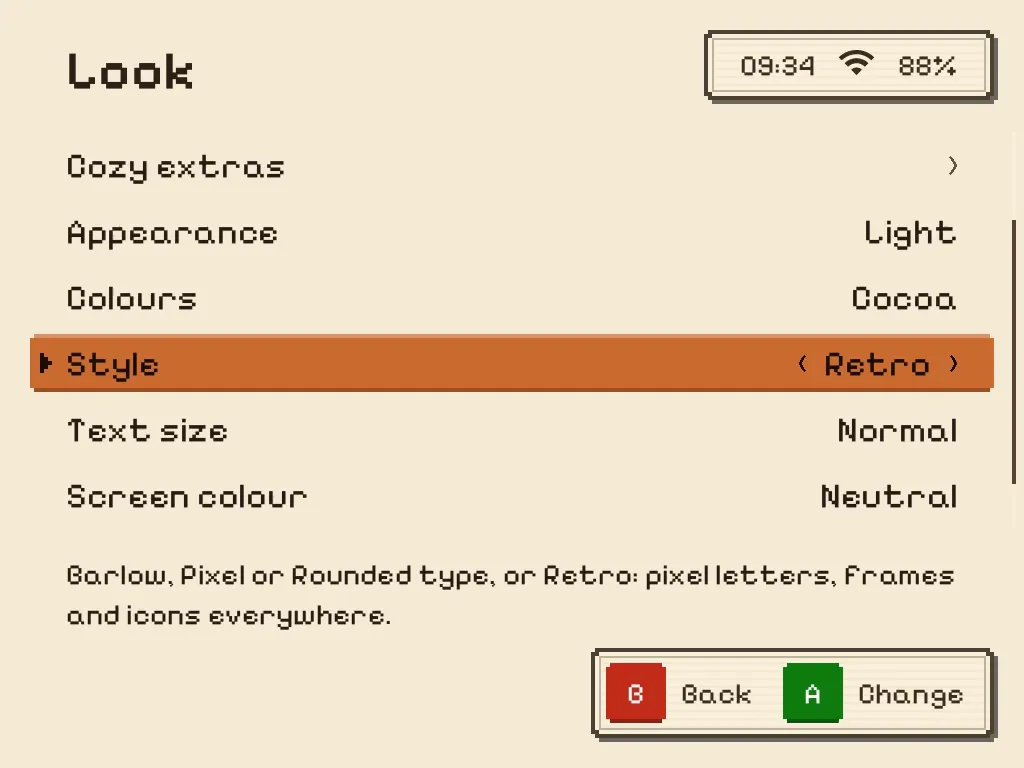
Settings on the Brick with Retro.
Set it up
Format a spare card as FAT32, unzip the whole download onto it, copy your games into Roms, card in, power on. Or send your games from your phone later: Settings → Games → Add games, press Y. Every step, on the Install page.
Want TrimUI's own system back? Switch off and put your normal card back in. Nothing to uninstall.
What to expect
Game Boy to PlayStation, smooth
Full-speed runs measured on one Brick in selected Game Boy Color, GBA, SNES and PlayStation games. Results depend on the game, core and settings.
N64, PSP, DS and Dreamcast: to try
They are on the card. Some games run fine, many will be slow, and that is all we promise. DS games that need touch are limited: the Brick has no touchscreen. All systems, rated
The Brick's own controls
F1 and F2 keep quick save and load by default. Choose another shortcut in Settings → Controls → Lights & buttons. The mute slider, lights, Bluetooth controllers and headphones are supported.
Tested on a real Brick
It runs well on the Brick we tested, and fewer people have tried it than the other handhelds. Your saves live on the card: copy them somewhere safe before you try a new card.
Questions
Does Bluetooth work?
Yes. Pair Bluetooth controllers and headphones right on the Brick.
Do cheats work?
Yes. The cheat database is a one-time download: Settings → Games → Box art & downloads → Cheats, or Cheats in the pause menu, offers Get · 30 MB (needs Wi-Fi) and shows the progress; B stops it and the next try carries on. After that it works offline and stays through updates. Games without cheats say so on the Cheats page.
Does PortMaster work?
Yes, since 0.3.2. Settings → Games → Box art & downloads → PortMaster games downloads PortMaster once (about 110 MB, needs Wi-Fi and 700 MiB free while installing). Then browse and install ports; they start from the Ports shelf with the pause menu. Not every PC port runs on these handhelds, and each port keeps its own saves.
Where do my saves go on the Brick?
On the pocket-ui card. In-game saves sit next to each game in Roms/<system>; save states and Continue moments go to Saves at the top of the card. Updates over Wi-Fi leave your games, saves and settings alone. Your games are plain files you can copy, and it's worth copying your saves somewhere safe first.
What do F1, F2, the mute slider and the lights do on the Brick?
In a game, F1 is quick save and F2 is quick load, no menu needed. In Settings → Controls → Lights & buttons you can give F1 and F2 a screenshot or the pause menu instead. On the shelf they bring up your recent games. The mute slider switches the sound off and on right away; you can also set it to do nothing.
The lights are yours in Settings → Controls → Lights & buttons: pick a colour, or turn them off. They start off. If you turn them on, they can also show the battery: breathing orange while charging, green when full, breathing red at 15 % or less.
What does the Power key do?
A short press puts the Brick to sleep: your game is saved first, and the Power key wakes it into the pause menu. Prefer the screen just turning off? Settings → System → Sleep & power → Short press. Hold Power a moment for the power menu.
How do updates work?
Go to Settings → System → Updates on the Brick and press once — updates come over Wi-Fi. Your games, saves and settings stay. If a newly installed version fails its startup checks and the previous version is available, it goes back automatically.
Can I send games from my phone?
Yes. On the Brick open Settings → Games → Add games and press Y. Scan the QR code with your phone's camera (same Wi-Fi), pick your game files on the page, and each one goes into the right folder. When a file type fits several systems, such as .iso or .zip, the page asks which system it is. Press B on the Brick when you're done and the new games are on your shelf. The page is open only while the Brick shows it, and it isn't encrypted, so use it on your own Wi-Fi at home. A game that is already there is never replaced, and very big files, BIOS files and saves still go onto the card.
What do I need?
A spare microSD card formatted as FAT32, and your own games — no games are included. For cards over 32 GB, a tool such as Rufus can format FAT32 when Windows does not offer it. Extract the whole zip directly to the card root. On a Mac, move the contents out of the folder Archive Utility creates and include hidden files with Cmd + Shift + .; .tmp_update must come along. Copy your games into Roms.
Does it touch my stock system?
No firmware is replaced and your normal card stays untouched. Games, saves and pocket-ui settings live on the pocket-ui card. Switch off, put your normal card back in, and TrimUI's own system starts again.
How well do N64 and PSP run?
Honestly mixed. Selected Game Boy Color, GBA, SNES and PlayStation games ran at full speed in our measured tests. N64 and PSP are included to try, but some games are fine and a lot are slow — no promise there. Every console on every handheld is on the Systems page.
Does it work on the TrimUI Smart Pro?
Experimental. The same card starts on a Smart Pro (1280x720, both sticks); About says "experimental". We could not test every part of it, so feedback is welcome. The Smart Pro S isn't supported; the card says so.
If it doesn't start, or something's off
Copy pocket-ui/logs/boot.log from the card and send it with your report: that file says why. On the Brick itself: Settings → Help & tools → Report a problem. Then open an issue on GitHub and say what happened.